Hey everyone, it’s been a while, been going through some things in my personal life, fortunately, aside from the world at war, things have begun to improve on my end & I’ve had more time to work on some projects on the side. I had an idea several years back, I mentioned it in the forums before, on building out a website directory that displays businesses, artists, creators, etc. that accept PPC. Since I couldn’t afford to pay someone to build it, I didnt want to keep bringing it up, so I sat quietly on the idea until I decided to tinker around with the help of AI (Manus) to build it out. After several failed attempts working on & off during the little time I had I finally reached a point where I feel comfortable sharing the final results. I appreciate any feedback & will keep looking on ways to improve this, just wanted to build something that can help connect the Peercoin community. Here is the link: https://ppcfinder.biz

Just wanted to follow up with some updates. As always, I’m open to feedback, let me know what you think.
Cheers!
Here’s a quick rundown:
 Now in 20 Languages
You can now browse PPC Finder in 20 languages, including Spanish, French, German, Chinese, Hindi, and many more. Just use the new language selector at the top of the page. The entire site — from the homepage to the business listings and contact forms — is now fully translated.
 Cover Photos & Photo Albums
Business profiles got a visual upgrade:
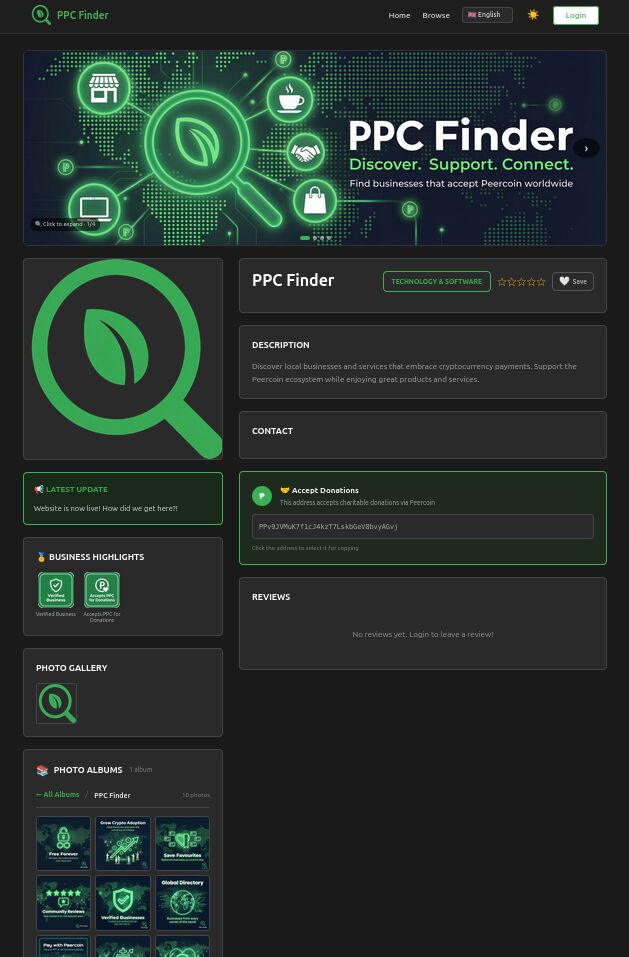
• Cover Photo Carousel: Business owners can now upload up to 10 wide cover photos (1200×400px) that display as a beautiful, auto-playing carousel at the top of their profile. It includes next/prev buttons, dot indicators, and a click-to-expand lightbox.
• Photo Albums: Business owners can create up to 10 albums, each with up to 10 photos, to showcase their work (e.g., “Interior,” “Menu,” “Events”). The profile page now displays these in a clean, organized card grid.
 Better Account Management
Added a dedicated Account Settings tab to the dashboard, giving you full control over your profile:
• Update your name, email, and password.
• Self-service Account Deletion: For transparency and control, you can now permanently delete your account and all associated data yourself. This is located safely within the “Danger Zone” in your account settings.
 Forgot Password Flow
No more getting locked out! A standard “Forgot Password” feature has been implemented. If you lose access to your account, you can now request a password reset link to be sent to your email.
Other Fixes & Improvements:
•UI/UX: Lots of small but important tweaks, like better dark mode styling, cleaner layouts for business hours, and improved address display.
•Security: Added rate limiting to login/register pages to prevent brute-force attacks.
Hello Cisco
Many congratulations on achieving this. The website looks and feels solid, is straightforward to use, and the twenty languages are a great addition. I love the magnifying glass logo.
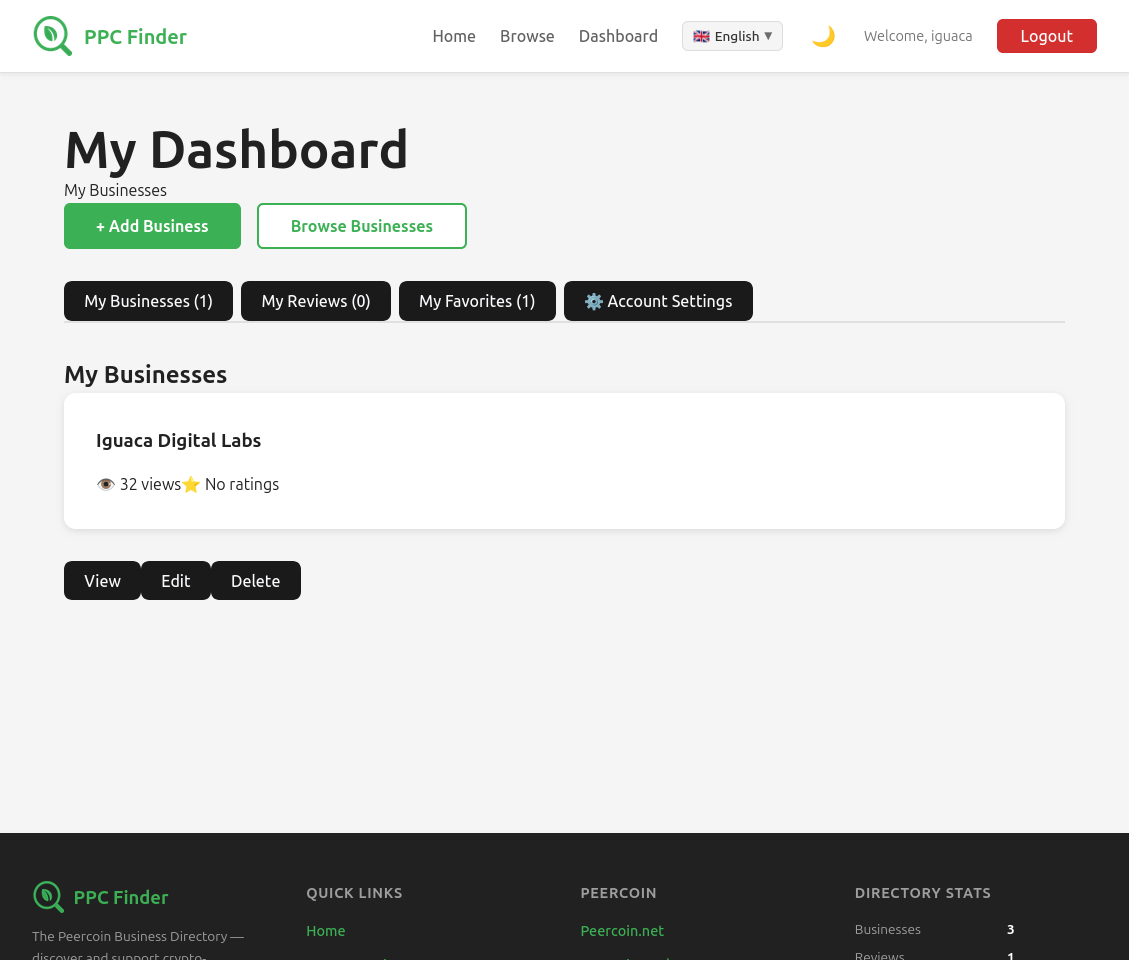
I’ve tried the account set-up/login. Perhaps the new Account Settings button should be on the left, so it’s the first thing the user sees, or maybe (even better) right under “My Dashboard” where you presently have “My Businesses”.
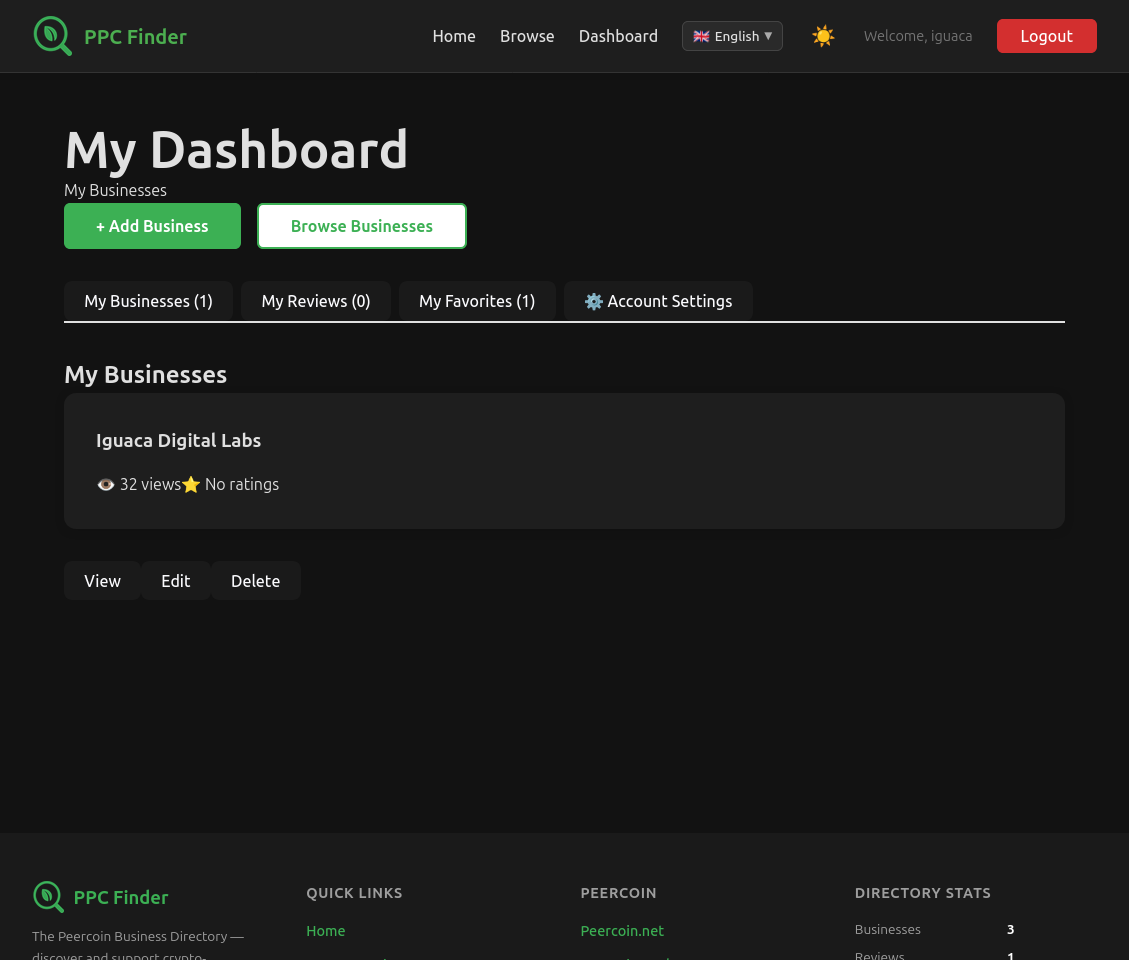
The sun/moon toggle seems the wrong way round (the moon should be dark mode, at least in my experience). Also, when switched to dark mode, the buttons under My Dashboard are whited out.
The “Forgot Password” feature is a very necessary addition!
Robert
Thanks for the feedback! I agree, there should be better placement on the new Account Settings button. I was also thinking possibly adding a hamburger menu or drop down buttons under the Dashboard button on the upper main menu.
When you switch to dark mode, is it still consistently whiting out the buttons? Or is it happening at random? I did have a similar issue before but I thought I had fixed it before going public.
I’ll have to look into this issue more.
At the moment everything seems to be working fine when viewing My Dashboard through the accounts I’ve created, even just created a new test account to see if it was happening to new accounts, but still looks good on my end.
Could it be a browser thing? I’ve only tested on desktop & mobile via Firefox & Brave.
Should look like this